
Pharmacy delivery management, without the phone calls.
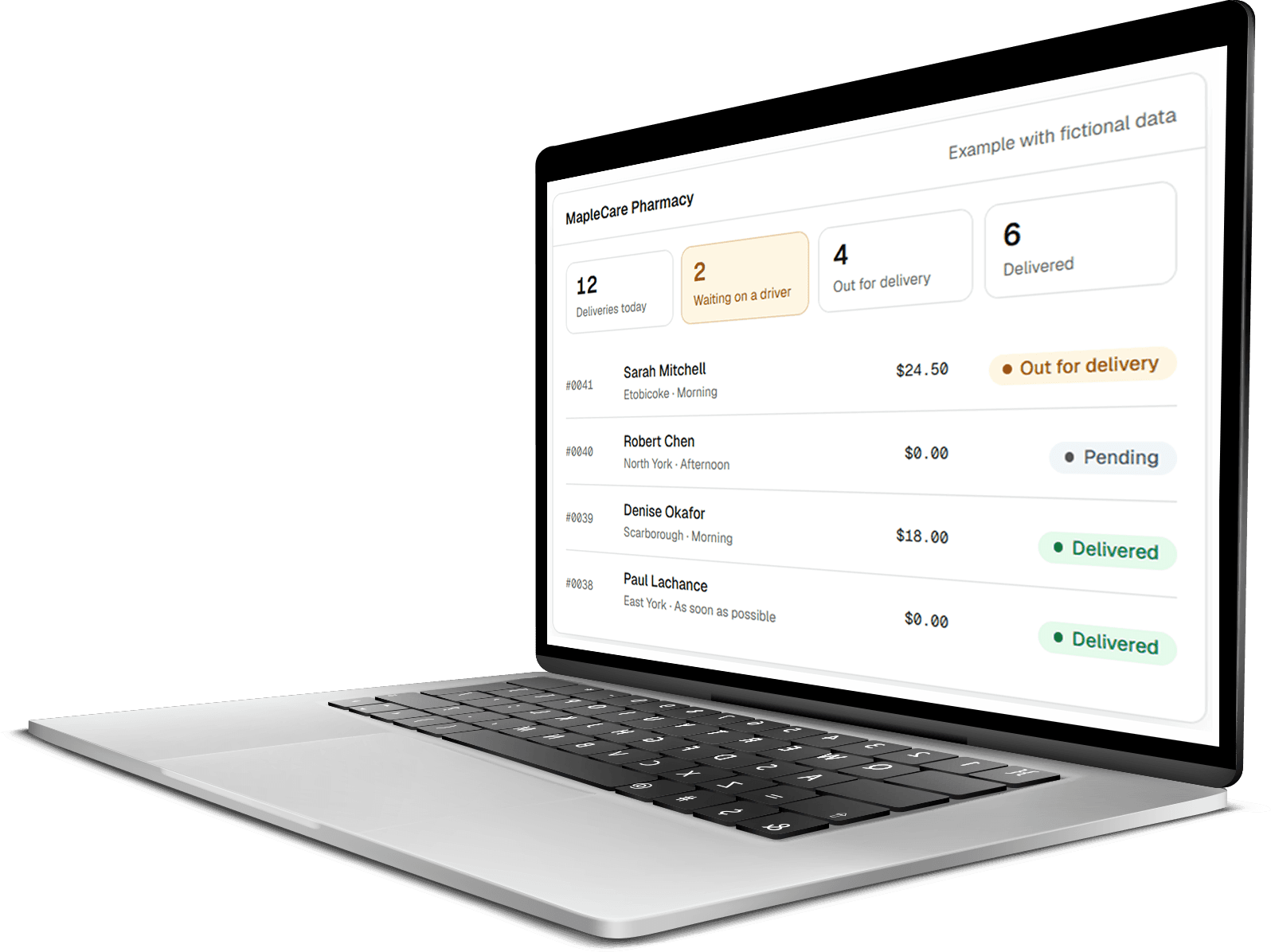
ShapesRx gives your pharmacy one place to create deliveries, assign drivers, capture proof, and let customers check the status of their order. Built for independent pharmacies in Canada.
No cost during the pilot. We set it up with you.
The problem
Your pharmacy shouldn't need five tools to manage one delivery.
Most pharmacies run deliveries on a spreadsheet, a notebook, a group chat, and whoever happens to know what is going on. It works until it doesn't.
- The delivery list lives in a spreadsheet that only one person updates.
- Staff phone the driver to find out whether an order has gone out.
- A customer calls asking when their prescription is arriving, and nobody can tell them.
- Proof of delivery is a photo sitting in someone's personal phone.
- Finding last Tuesday's delivery means scrolling back through a group chat.
- The one person who knows how deliveries work is off sick.
ShapesRx puts all of it in one place your whole team can see.
How it works
Four steps, start to finish.
The same flow every delivery follows, whether you send three a day or thirty.
- 01
Create
Pick the customer and their address fills itself in. Set the day, the delivery window, anything to collect, and whether it needs a signature.
- 02
Assign
Choose a driver from the list. Drivers your staff have marked unavailable are labelled and can't be picked by mistake.
- 03
Deliver
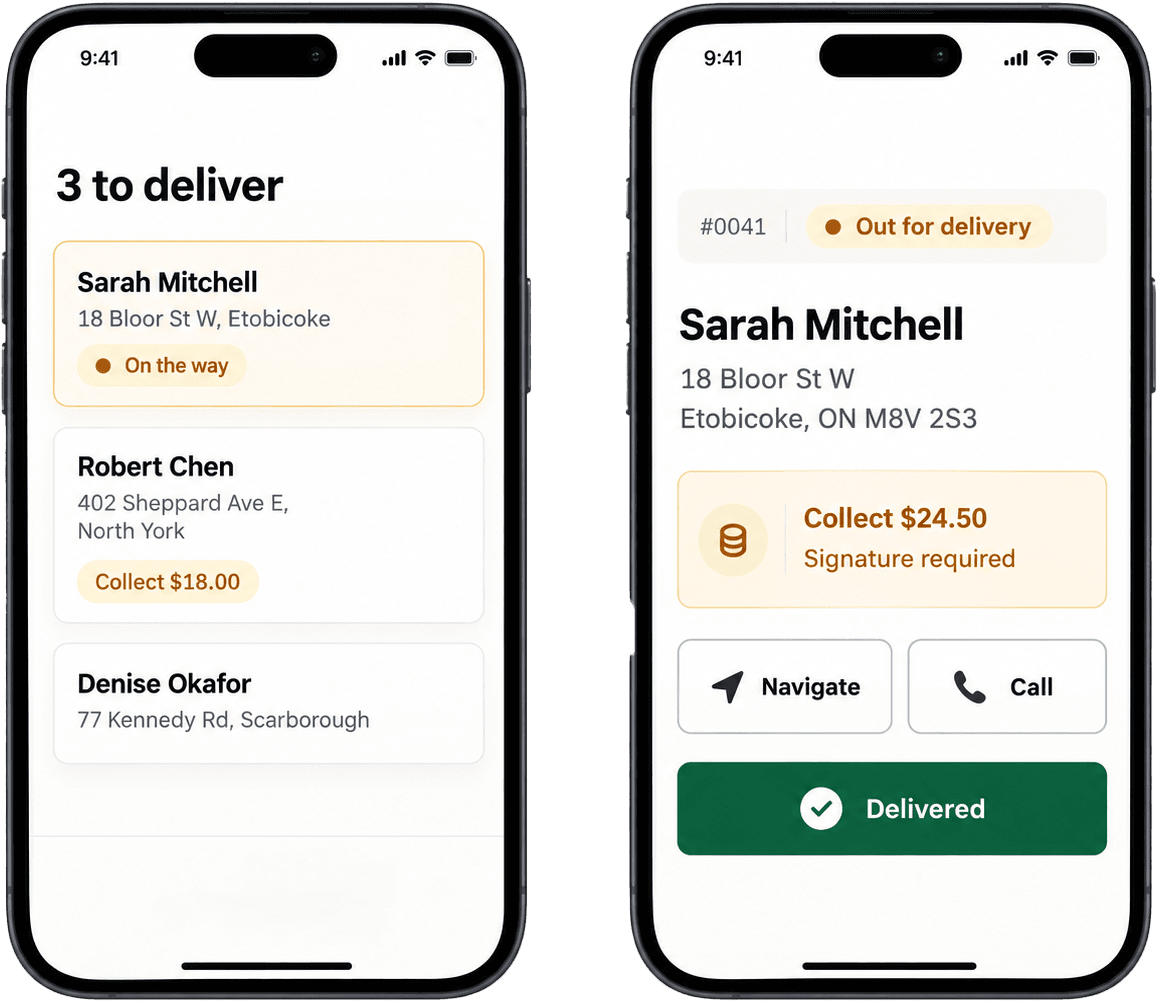
The driver opens ShapesRx on their phone, sees the address, taps to navigate or call, and starts the run.
- 04
Complete
Signature or photo, or a recorded reason if it could not be delivered. The customer's tracking page updates and the delivery joins your history.
Your drivers
Nothing for your drivers to install.
Your driver signs in on their phone with the mobile number you already have on file and a one-time code your staff give them. No app store, no account to create, no training session. It runs in the phone's web browser.
- Their deliveries for the day, with the one they are on at the top.
- Tap to navigate, tap to call the customer.
- Anything to collect, refrigerate, or check ID for is flagged before they arrive.
- Signature or photo captured at the door, or a reason recorded if nobody is home.
For your customers
Customers can check for themselves.
Copy the tracking link from a delivery, send it to your customer, and they see its status under your pharmacy's name. No app, no account, no login. The page shows the status and your phone number, and nothing more than it needs to.
- Updates as the delivery moves through each stage.
- Shows a shortened name and street rather than full personal details.
- The link stops working 48 hours after the delivery is complete.

What you get
Less chasing. Better records.
- One place to look
- Anyone on your team can see every delivery and where it stands, without asking.
- A record you can find
- Every delivery keeps its full history: who created it, who delivered it, when, and what proof was captured.
- Proof that stays put
- Signatures and photos are stored with the delivery, not in a driver's camera roll.
- Cash accounted for
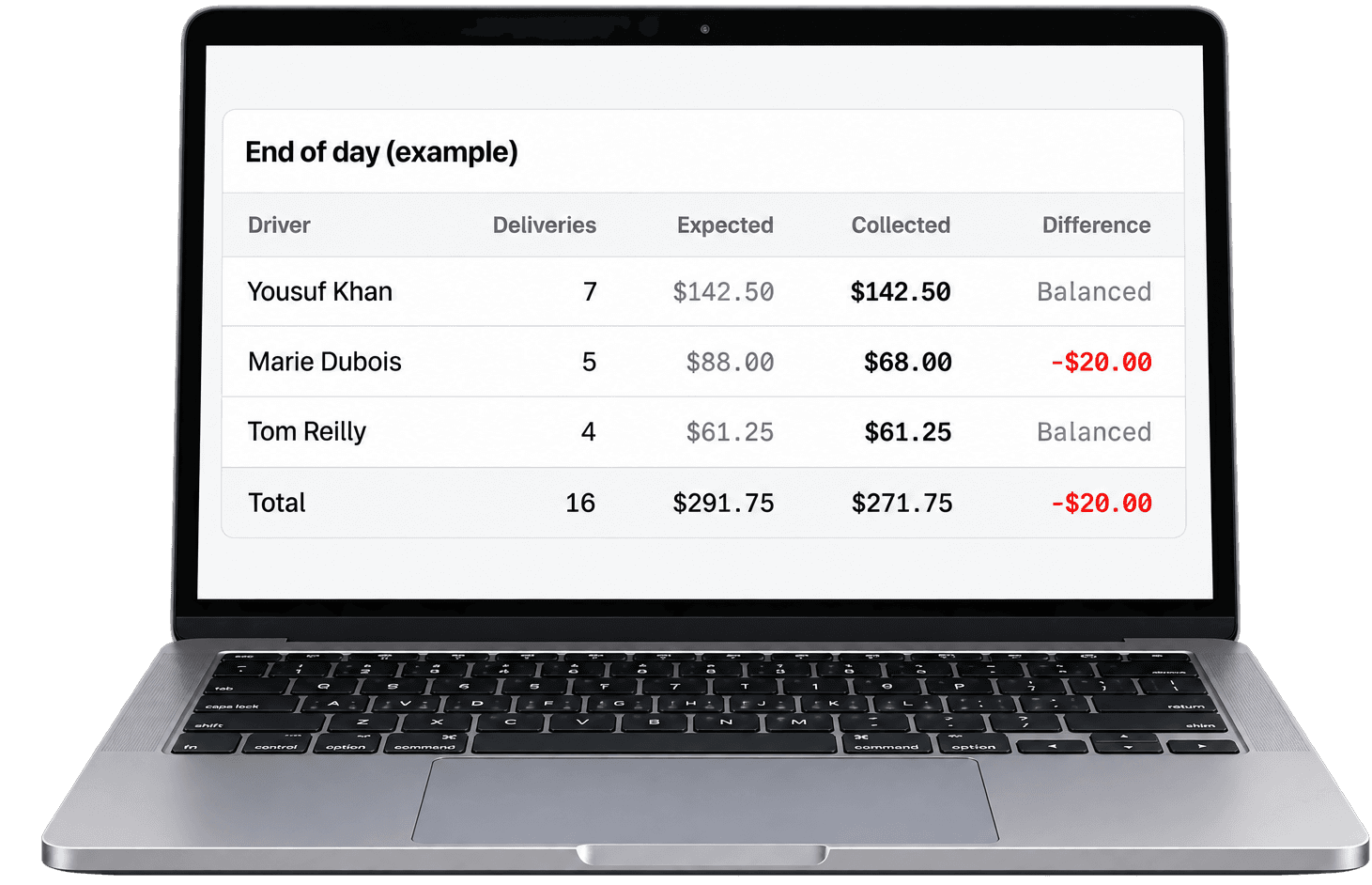
- End of day shows what each driver collected against what was expected, so a shortfall is obvious.
- A run sheet for the road
- Print the day's deliveries for a driver who wants paper, with space for signatures.
Pharmacy data
Built for pharmacy work, and careful with pharmacy data.
ShapesRx is built for one job: pharmacy delivery, rather than being a general logistics tool with a pharmacy label on it. Here is how it handles your information.
- Your data stays yours
- Each pharmacy's records are separated at the database level, and that separation is covered by an automated test suite.
- Staff see what they need
- Admins and staff have different permissions, and drivers only ever see the deliveries assigned to them.
- Tracking links reveal little
- A customer's page shows a shortened name and street, never the customer's phone number or full address, and the link stops working 48 hours after the delivery is complete.
- Every status change is recorded
- Delivery history shows who did what and when, so you can answer a question weeks later.
Built with privacy and security in mind for pharmacy operations. Compliance requirements depend on your own operations, integrations and province, and we are happy to go through ours with you.
The offer
Free pilot
We are looking for a small number of Canadian pharmacies to help get ShapesRx right. If you are one of them, you use the whole product at no cost during the pilot, and we set it up with you over a video call.
- The full product: deliveries, drivers, proof of delivery, customer tracking, history, end of day
- Setup done with you, including your customers and drivers
- Direct line to the person who built it
- Your feedback shapes what gets built next
Paid plans come after the pilot. We will agree pricing with you before anything changes, and you can walk away with your data.

ShapeSoft
Who you are dealing with
ShapesRx is a product of ShapeSoft, a Canadian company based in Toronto. We build and run business software and payment platforms for Canadian companies, including systems that handle regulated financial data every day.
We have built delivery software for a pharmacy before, as a one-off custom build. ShapesRx is that work turned into a product. It is built around the single job of getting a prescription from the counter to the door, rather than being a general logistics tool with a pharmacy label on it.
During the pilot you deal with one named person, not a support queue. Minhal Naqvi runs the pilots. He will set it up with you, learn how your pharmacy actually works, and take what you tell him straight back to the people building it.
Minhal Naqvi, ShapesRx
ShapeSoft, Toronto, Ontario
We'll get back to you within one business day.
ShapesRx is built by Asad Azam, Product Lead at ShapeSoft.
Ready to get your deliveries organised?
Tell us a bit about your pharmacy and we will show you how ShapesRx would fit your day.